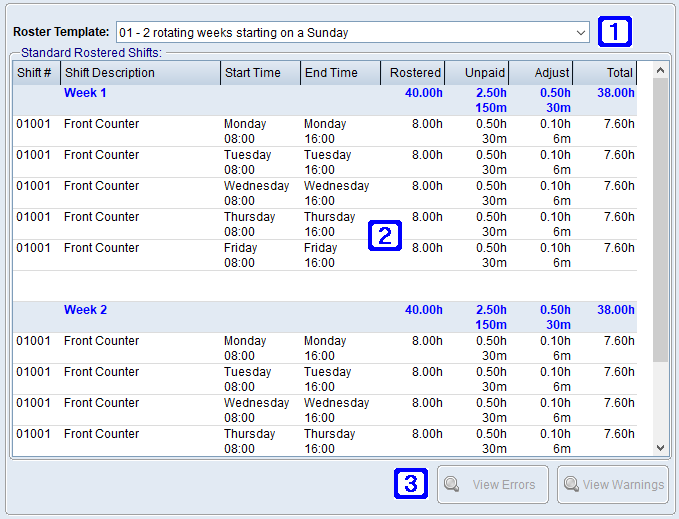
The Roster Template / Standard Working Hours tab displays the employee's roster templates and standard working hours.
Allows the user to select a different roster template where the employee has shifts on multiple roster templates.
Displays a list of the shifts for the employee on the selected roster template.
View Errors - Allows users to view a list of errors for the employee on the selected roster template (eg. two shifts that overlap with each other).
View Warnings - Allows users to view a list of warnings for the employee on the selected roster template (eg. the rostered hours exceed the employees standard hours).
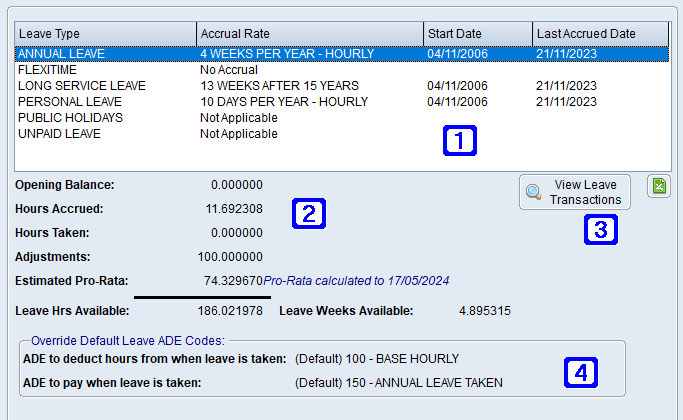
Opening Balance - Displays the opening balance of the selected leave at the beginning of the current pay period.
Hours Accrued - Displays the hours accrued for the selected leave since the beginning of the current pay period.
Hours Taken - Displays the hours taken of the selected leave since the beginning of the current pay period.
Adjustments - Displays any adjustments made of the selected leave since the beginning of the current pay period.
Estimated Pro-Rata - Displays the estimated pro-rata hours that will accrue for the selected leave since the last pay period to the current processing date.
Leave Hrs Available - Displays the leave hours available for the selected leave.
Leave Weeks Available - Displays the leave weeks available for the selected leave.
ADE to deduct hours from when leave is taken - The ADE code on the employee's standard payrun to deduct hours from when this type of leave is taken.
ADE to pay when leave is taken - The ADE code to pay the employee when this type of leave is taken.
The (Default) prefix on either of these fields denotes that the setting is coming from the leave type or leave rate code rather than an override on the employee masterfile.





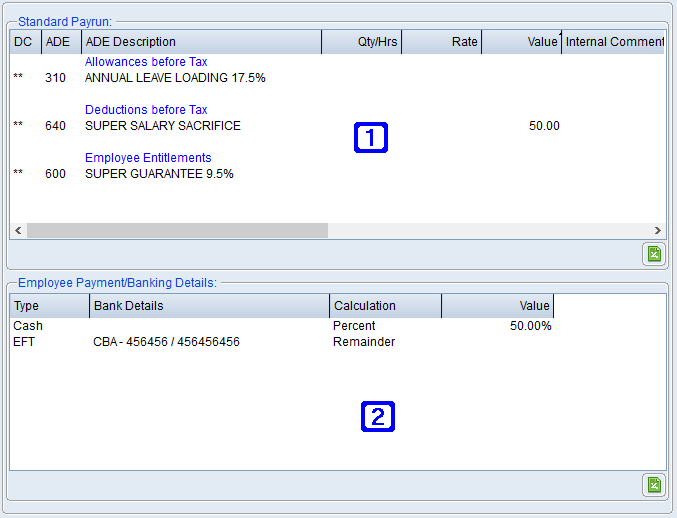
 Standard Pay & Bank Details Tab